Vornaxis Vornaxis

How to Choose a Deep Learning Server Manufacturer in 2026?

Time:2026-11-07 Author:Aria
0%

In 2026, choosing a deep learning server manufacturer means looking beyond GPU counts and polished performance claims. A training run may occupy accelerators for days, revealing thermal, power, and memory limits that a short demonstration can hide. Cooling design matters in a real rack. So do network adapters, storage throughput, and the ability to expand without replacing the whole system. A fast specification sheet is only a starting point. Details count.

Ask vendors for configuration-specific validation results, not generic benchmark screenshots. Check supported GPU models, CPU and memory pairings, power requirements, firmware update practices, and warranty terms. Request a sample bill of materials and clarify which parts are sourced, assembled, and tested by the manufacturer. If possible, speak with customers running similar workloads; their notes about noise, service response, and replacement times can be more useful than a sales presentation. Look for engineers who can explain trade-offs plainly, including what the system cannot do well. That answer may be imperfect, but it is informative. Proof matters. Also consider the long view: spare-part availability, software compatibility, remote diagnostics, and support across the server’s expected life. The cheapest quote can become costly if a failed fan or delayed GPU replacement stalls a project. This guide outlines practical questions for comparing manufacturers, assessing evidence, and choosing a partner whose claims can be checked before deployment.
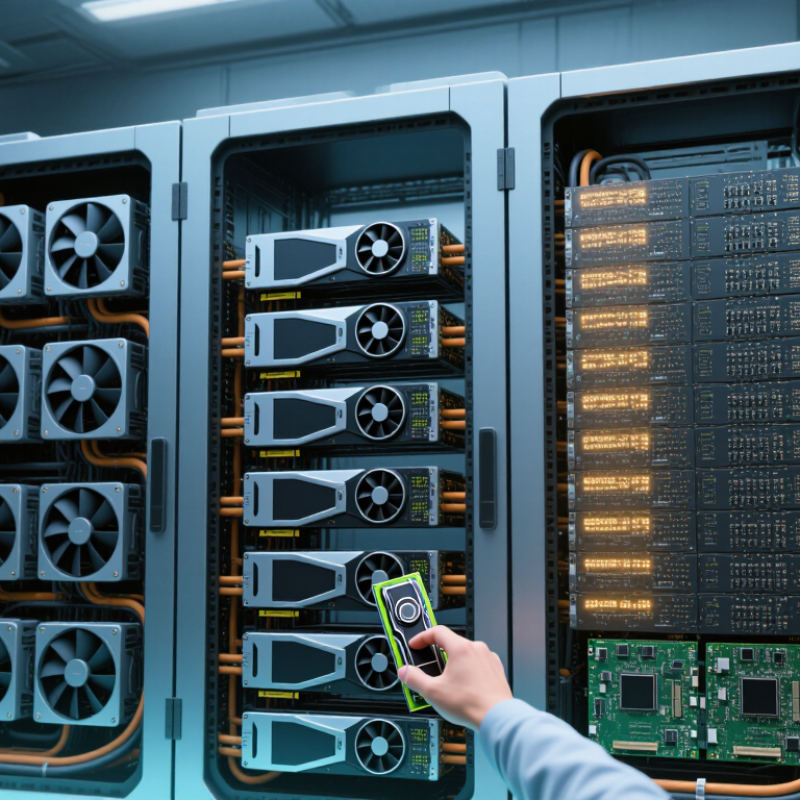
How to Choose a Deep Learning Server Manufacturer in 2026?

Define Training and Inference Needs Before Comparing Server Manufacturers

How to Choose a Deep Learning Server Manufacturer in 2026?

Define training and inference needs before comparing server manufacturers. For training, record model size, dataset volume, sequence length, precision, and expected run time. These details affect accelerator memory, interconnect bandwidth, storage throughput, and cooling requirements.

Inference has different pressures: response-time targets, concurrent requests, and daily traffic matter more than peak training speed. A server built for large batches may perform poorly with small, latency-sensitive requests. Measure representative workloads where possible. A benchmark that does not match your data can mislead.

Once the workload is clear, compare manufacturers against the same requirements. Ask for tested configurations, power and thermal data, component compatibility, and support response times. Check whether storage and networking can keep pace with accelerators; idle compute is expensive.

Review upgrade options and spare-part availability, too. A high headline specification is not a complete design. Early estimates are often rough, and that is worth admitting. Revisit them as model and traffic assumptions change.

Tips: Write down training and inference targets separately. Include memory use, throughput, latency, and peak power. Request evidence from a workload close to yours, not just a theoretical maximum. Leave room for growth, but avoid buying capacity you cannot use.

Size GPU Nodes Against NVIDIA HGX B200’s 8-GPU Reference Design

How to Choose a Deep Learning Server Manufacturer in 2026?

Size GPU nodes against an eight-GPU reference design, but treat it as a baseline, not a shopping target. Check whether your workloads need all eight accelerators in one node. Large model training may benefit from tightly connected GPUs, while inference can favor smaller, easier-to-expand nodes. Match the server’s memory capacity, GPU interconnect, and network bandwidth to actual models and data pipelines. A powerful node can still sit idle if storage feeds it slowly.

Tips: Request a full-node power estimate, not just a GPU figure. Confirm cooling capacity, rack depth, service access, and replacement-part availability. Ask for measured performance on a workload similar to yours.

Before choosing a manufacturer, review test results under sustained load. Short demonstrations may hide thermal throttling, noisy fans, or reduced performance during long training runs. Check how the system handles firmware updates and diagnostics, and ask who supports the complete configuration. The eight-GPU layout is useful, but it may be excessive for early projects. That is an awkward trade-off. Leave room for growth, yet avoid buying capacity your team cannot use. Validate the proposed node with your own software and data before committing.

How to Choose a Deep Learning Server Manufacturer in 2026? — Sizing GPU Nodes Against an 8-GPU Reference Design

Selection dimension Reference or planning target What to confirm with the manufacturer Practical acceptance check
GPU node size Use an 8-GPU node as the reference configuration for sizing and comparison. Ask whether all eight GPUs operate together in one validated server configuration. Request a complete bill of materials and a workload-specific acceptance test.
GPU memory capacity For eight accelerators with 180 GB of memory each, the arithmetic total is 1,440 GB (1.44 TB). This is aggregate capacity, not a single shared memory pool. Confirm per-GPU usable memory, memory type, and how the software distributes model weights and activations. Run a representative model at the intended sequence length and batch size; record peak memory use.
GPU-to-GPU interconnect An 8-GPU reference design can specify up to 1.8 TB/s per GPU and 14.4 TB/s aggregate link bandwidth. Aggregate figures are not the bandwidth of one individual connection. Ask for the topology, bandwidth convention, and measured collective-communication performance. Test all-reduce and other communication patterns used by the intended training framework.
Host CPU and memory Size host resources for data loading, preprocessing, orchestration, and the selected GPU workload; no single CPU or system-memory capacity fits every deployment. Confirm CPU-to-GPU attachment, memory-channel population, and whether the configuration supports the required I/O devices. Check GPU utilization and data-loader wait time during a sustained representative run.
Network connectivity Choose network speed and port count according to cluster size, distributed-training traffic, and storage requirements. Request a network diagram showing adapter count, link speed, PCIe placement, and supported fabric configuration. Validate throughput and latency across multiple nodes using the intended network and collective-communication stack.
Local storage Set capacity and throughput from dataset size, checkpoint policy, and whether training data is staged locally or streamed from shared storage. Confirm drive count, usable capacity, RAID or redundancy options, and sustained read/write performance. Benchmark dataset reads and checkpoint writes while the node is under GPU load.
Power and rack planning Use the configured system’s rated maximum input—not a generic estimate—to plan rack power. Include site-required reserve capacity. Obtain maximum and typical power figures, input voltage, power-cord details, and redundant-power behavior. Confirm that rack circuits, power distribution, and facility capacity support the planned number of nodes.
Thermal design Select air or liquid cooling only after matching the server configuration to the data center’s cooling capacity and operating limits. Confirm airflow direction, required inlet conditions, cooling connections, and any facility-side equipment requirements. Review thermal test results at sustained load and verify compatibility with the target rack and room.
Software and firmware Require a supported software stack for the intended operating system, accelerator drivers, training framework, and cluster manager. Request a compatibility matrix, firmware update process, and clearly defined support ownership. Install the production software image and run health checks and representative workloads before acceptance.
Reliability and service Compare warranty coverage, response times, replacement procedures, and service availability in the deployment region. Clarify parts availability, escalation paths, diagnostic access, and whether support covers the full configured system. Include service commitments and a documented fault-handling process in the purchase evaluation.
Final manufacturer scorecard Compare complete, workload-tested configurations rather than GPU count or headline specifications alone. Evaluate performance, power, cooling fit, software readiness, service, delivery schedule, and total cost of ownership. Use the same workload, test duration, measurement method, and acceptance criteria for every proposal.

Note: Reference figures describe a comparison baseline; confirm the final specifications and performance of the exact server configuration in writing.

Assess Rack-Scale Networking: NVIDIA GB200 NVL72 Connects 72 GPUs

A 72-GPU rack is not simply a server with more accelerators. Its network fabric must move gradients and activations between nodes without leaving expensive compute idle. Ask the manufacturer for a rack-level topology diagram, measured collective-communication results, and oversubscription figures. Test at full rack scale, not with one node. Small tests can hide congestion.

This matters as power pressure rises. The International Energy Agency’s Energy and AI report estimates data-centre electricity use could reach about 945 TWh by 2030, up from roughly 415 TWh in 2024. Uptime Institute’s 2024 Global Data Center Survey also identifies power availability as an operational concern. A tightly integrated rack may improve utilization, but it concentrates heat, cabling, and failure risk. Verify link speeds, redundant paths, cable reach, and service access under load. Request network and thermal logs from sustained training runs, not just peak benchmarks. Numbers need site context. A warm aisle changes results.

Tips: Ask for a live demonstration of multi-node training. Check whether technicians can replace a failed network component without disrupting the entire rack.

Assess Rack-Scale Networking: Comparing GPU Scale

Rack-scale systems can connect 72 GPUs within a single rack-scale architecture. For context, 32 GPUs represents four 8-GPU servers; the comparison illustrates GPU count, not equivalent networking performance.

Verify Power and Cooling: IEA Projects Data-Center Use Near 945 TWh by 2030

The IEA projects that data-center electricity use could approach 945 TWh annually by 2030. That figure is a warning for anyone choosing a deep learning server manufacturer. A server may fit on a rack and still exceed what the room can power or cool. Ask for measured power draw under sustained AI workloads, not just peak figures from a product sheet.

Request rack-level heat output, airflow requirements, and cooling guidance for the intended configuration. Check whether the facility can support the proposed power density, including startup demand and redundancy. Liquid cooling may help in dense deployments, but it adds pumps, plumbing, and maintenance needs. Small details matter. A poorly placed sensor can hide a hot spot until performance drops.

Ask how the supplier validates thermal behavior and what test conditions support its claims. Compare those conditions with your own workload and room layout. A spreadsheet can look convincing. A live load test is less polite. I would still question any projection that assumes steady utilization; real clusters often swing between idle periods and intense training runs. Reliable planning leaves room for those uneven loads, rather than treating a best-case estimate as a guarantee.

Compare Support and Reliability: Uptime Reports 54% of Major Outages Cost $100K+

Choosing a deep learning server manufacturer in 2026 means looking beyond processor specifications. A fast system is of little value when a failed power supply or delayed replacement leaves it idle. Uptime reports indicate that 54% of major outages cost more than $100,000. That figure makes support response time a business issue, not a minor service detail. Ask how the manufacturer defines uptime and whether its reports include scheduled maintenance.

Request recent incident data, parts availability by region, and clear escalation steps. Who answers at 2 a.m.? How quickly can a failed accelerator or cooling component be replaced? Ask for realistic response and repair targets, not just broad service promises. Check whether support staff can diagnose hardware and workload issues together; deep learning failures may involve both.

A clean uptime chart is not proof. Review service records, references from teams with similar workloads, and the terms behind any reliability claims. If possible, test the support process before purchase with a technical question. Note how long a useful answer takes. One caveat: outage costs vary widely, so the 54% figure should guide questions, not predict your own losses. Even a careful evaluation can miss a weak link. That is worth admitting.

FAQS

How much electricity might data centers use by 2030?

The IEA projects annual use could approach 945 TWh. It is a warning, not a guarantee.

What power figures should I request for a deep learning server?

Ask for measured power during sustained AI workloads. Peak figures alone can hide what a full training run demands.

What cooling details matter before installation?

Request rack-level heat output, airflow needs, and cooling guidance. Check whether the room can handle the proposed power density.

Can liquid cooling solve high-density heat problems?

It may help in dense deployments, but adds pumps, plumbing, and maintenance. Small details matter.

How should I check a supplier’s thermal claims?

Ask for test conditions and compare them with your workload and room layout. A live load test can reveal problems a spreadsheet misses.

Why should utilization patterns affect power planning?

Clusters can shift from idle periods to intense training runs. Leave room for uneven demand. I still find this easy to underestimate.

What support details should I check before buying?

Ask about regional parts availability, escalation steps, and realistic repair targets. Who answers at 2 a.m.?

How should I interpret the outage-cost figure?

Reports indicate 54% of major outages cost over $100,000. Costs vary widely, so use that figure to guide questions, not predict your losses.

How can I evaluate uptime and support claims?

Ask how uptime is defined and whether maintenance is included. Review service records, similar-team references, and response times to a technical question. A clean chart is not enough.

Conclusion

Choosing a deep learning server manufacturer in 2026 starts with a clear understanding of your workloads. Training and inference place different demands on compute, memory, storage, and networking, so define performance targets, model sizes, utilization expectations, and growth plans before comparing systems. Use an eight-GPU node as a practical reference point, then check whether its capacity, scalability, and operating costs fit your requirements.

For larger deployments, assess rack-scale networking and whether systems can coordinate dozens of GPUs efficiently; a 72-GPU rack illustrates the scale some workloads may require. Power and cooling also deserve close attention, as data-center electricity use is projected to approach 945 TWh by 2030. Finally, compare warranties, response times, spare-parts access, and reliability records. With 54% of major outages reported to cost more than $100,000, dependable support can be as important as peak performance.

Aria

Aria

Aria is a dedicated marketing professional with a deep passion for innovative strategies and a keen understanding of our company's product offerings. With a wealth of experience in the industry, Aria excels at crafting engaging content that highlights the unique features and benefits of our......