 Vornaxis
Vornaxis
Vornaxis
Choosing a custom GPU server builder is not simply a purchasing decision. It affects training speed, inference stability, energy costs, and future upgrades. A powerful GPU can still underperform inside a poorly balanced server.
Jensen Huang, NVIDIA’s founder and CEO, once said, “The more you buy, the more you save.” However, bigger hardware does not always create better value. A reliable custom GPU server builder should match GPUs with the right CPUs, memory, storage, power supplies, cooling, and network fabric. Check whether the builder understands CUDA compatibility, PCIe lanes, NVLink requirements, rack density, and thermal limits. Ask for documented benchmark results, not attractive specifications alone.
Small details matter. A server may arrive with eight high-end GPUs, yet fail under sustained workloads because its airflow design is weak. Another system may offer fast storage but lack remote management, spare parts, or clear warranty terms. These issues can delay a production project for days. Sometimes, the cheapest quote becomes the most expensive choice.
This guide presents seven practical tips for evaluating a custom GPU server builder. It examines engineering experience, component transparency, testing procedures, scalability, support response, security practices, and total ownership cost. No checklist is perfect. Your workload may change, and vendor promises can sound stronger than their evidence. Request a prototype, inspect the cooling layout, and test your actual models before committing. A trustworthy builder welcomes difficult questions and explains limitations clearly. That honesty is often more valuable than a polished sales presentation.
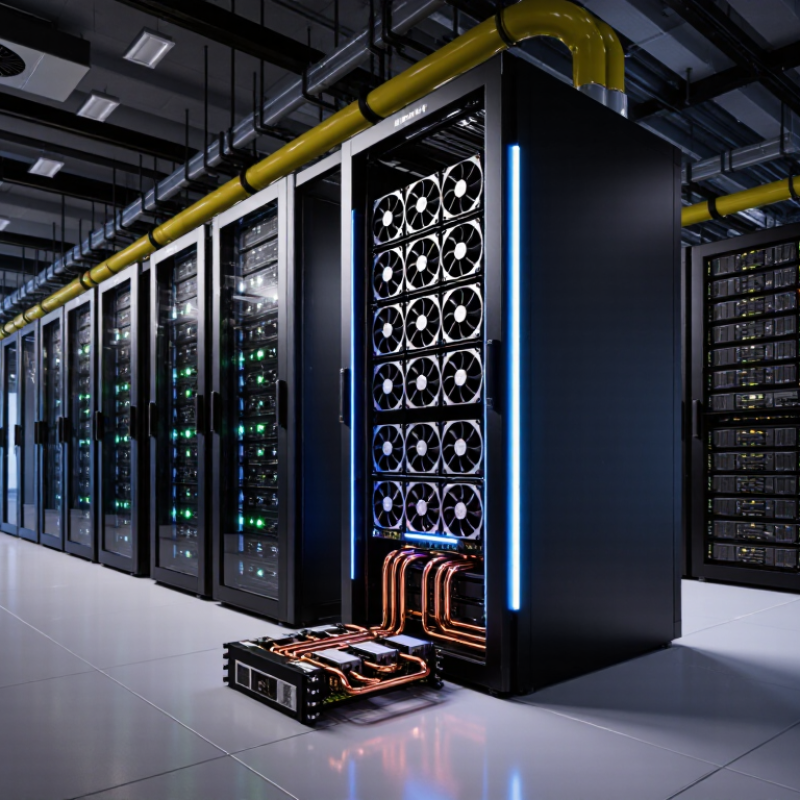
7 Tips for Choosing a Custom GPU Server Builder?
Define Your GPU Server Workload and Performance Requirements
Before contacting a custom GPU server builder, describe the work your system must perform. Training a language model differs from rendering video or running scientific simulations. Each workload stresses memory, bandwidth, cooling, and storage differently.
Record the model size, batch size, input data, and expected users. Note whether jobs run continuously or in short bursts. A practical test may include processing 10,000 images or training for 24 hours. Measure completion time, GPU memory usage, power draw, and system temperature. Real numbers are more useful than vague claims.
GPU memory often becomes the limiting factor. A model may fit during testing but fail when the batch size increases. Our first estimate was wrong. Leave room for larger datasets and future software updates. Still, buying excessive hardware can waste money and rack space. That trade-off deserves honest discussion.
Ask the builder to explain benchmark methods, workload assumptions, and cooling plans. Request results from hardware configured like your proposed system. Check whether performance remains stable under sustained workloads, not only during short demonstrations. Also review storage speed, network bandwidth, power redundancy, and remote management needs. A reliable builder should identify weaknesses, even when they reduce the order size. Be specific. Test before deployment.
| Workload Type | Typical Processing Pattern | Recommended GPU Memory | Typical GPU Configuration | CPU and System Memory Guidance | Storage and Network Requirements | Critical Builder Validation Points | Priority |
|---|---|---|---|---|---|---|---|
| Large-Language-Model Training | High-volume tensor operations, distributed data parallelism, frequent GPU-to-GPU synchronization, and long sustained utilization. | At least 24–48 GB per GPU for many medium-scale experiments; larger models may require 80 GB or more per GPU or model sharding. | 4–8 GPUs with high-speed GPU interconnect support; multiple servers may be required for larger distributed jobs. | 32–64 CPU cores per server is common for data preparation and orchestration; 256–1,024 GB RAM depending on dataset size and parallel jobs. | High-throughput NVMe storage for datasets and checkpoints; 100–400 Gb/s networking may be appropriate for multi-server training. | Verify interconnect topology, distributed-training bandwidth, power delivery, thermal performance, and stable operation under full load. | High |
| AI Model Inference | Latency-sensitive or throughput-oriented serving of trained models, often with continuous requests and variable utilization. | 8–24 GB for smaller models; 24–80 GB or more for larger models, long context windows, or high-concurrency serving. | 1–4 GPUs per server; select additional GPUs when concurrent users, model size, or response-time targets require them. | 16–32 CPU cores and 128–512 GB RAM are typical starting points; allocate additional memory for caching and multiple models. | Fast local NVMe for model loading and caching; 25–100 Gb/s networking is useful for high request volumes. | Measure tokens per second, requests per second, response latency, memory utilization, and performance at the required concurrency level. | High |
| Computer Vision Training | Parallel image or video processing with high data-loader activity and repeated model training cycles. | 16–32 GB per GPU for many classification, detection, and segmentation workloads; more memory may be needed for high-resolution video. | 1–4 GPUs for development and production training; 4–8 GPUs for larger datasets or shorter training windows. | 16–32 CPU cores and 128–512 GB RAM; CPU capacity should support image decoding, augmentation, and batch preparation. | High-IOPS NVMe storage; 25–100 Gb/s networking for shared datasets and multi-node workflows. | Test data-loading efficiency, PCIe bandwidth, GPU scaling, sustained thermal performance, and image-augmentation throughput. | High |
| Scientific and Engineering Simulation | Dense or sparse numerical computation, solver acceleration, large memory transfers, and long-running batch jobs. | 24–80 GB per GPU depending on mesh size, solver type, and the amount of data retained during computation. | 1–8 GPUs; some applications benefit from tightly coupled GPU communication and balanced CPU-GPU resources. | 32–128 CPU cores and 256–2,048 GB RAM may be required for preprocessing, solver coordination, and large datasets. | High-capacity NVMe or parallel storage; 100 Gb/s or higher networking can benefit distributed simulations. | Confirm application compatibility, numerical precision support, memory capacity, solver scaling, and checkpoint-recovery performance. | High |
| 3D Rendering and Visualization | GPU-accelerated ray tracing, scene rendering, interactive viewport work, and parallel batch rendering. | 16–48 GB per GPU for many professional scenes; complex assets, high-resolution textures, and ray-tracing workloads may require more. | 1–4 GPUs for interactive work; 4–8 GPUs for render farms or high-volume batch production. | 16–32 CPU cores and 128–512 GB RAM, with more memory for large scenes and asset caches. | Fast NVMe scratch storage plus shared storage for assets; 10–100 Gb/s networking based on asset size and render-farm scale. | Evaluate render time per frame, viewport responsiveness, GPU memory capacity, software compatibility, and noise limits. | Medium |
| Video Processing and Transcoding | Parallel decoding, encoding, filtering, streaming, and media pipeline processing with predictable real-time targets. | 8–24 GB per GPU is often sufficient; memory needs increase with resolution, simultaneous streams, and complex effects. | 1–4 GPUs or media-acceleration devices, depending on codec support and the number of concurrent streams. | 16–32 CPU cores and 64–256 GB RAM; additional CPU capacity may be needed for preprocessing and orchestration. | High sequential storage throughput; 10–100 Gb/s networking for centralized media repositories and live workflows. | Validate supported codecs, frames per second, concurrent stream capacity, end-to-end latency, and sustained storage throughput. | Medium |
| Virtual GPU and Multi-Tenant Workloads | Multiple users or applications sharing GPU resources with isolation, scheduling, quality-of-service, and predictable latency requirements. | 16–48 GB per GPU, depending on the number of users, application profiles, and assigned memory per virtual machine or container. | 2–8 GPUs with partitioning or virtualization support; select extra capacity for failover and usage spikes. | 32–128 CPU cores and 256–1,024 GB RAM to support multiple guests, control services, and memory overhead. | Enterprise NVMe storage and at least 25 Gb/s networking; redundant network paths may be appropriate for critical services. | Confirm virtualization support, resource isolation, scheduler behavior, tenant density, security controls, and failure recovery. | High |
| Data Analytics and GPU-Accelerated ETL | Large-scale filtering, joins, feature engineering, columnar data processing, and repeated movement between storage, CPU, and GPU memory. | 16–48 GB per GPU; larger datasets may require partitioning, out-of-core processing, or multiple GPUs. | 1–4 GPUs for departmental workloads; 4–8 GPUs for shared analytics platforms and larger data pipelines. | 24–64 CPU cores and 256–1,024 GB RAM, based on dataset size and the amount of CPU-side preprocessing. | High-capacity NVMe and 25–100 Gb/s networking; storage bandwidth can become the primary performance limit. | Benchmark complete pipeline time rather than GPU utilization alone, including data ingestion, preprocessing, computation, and output writing. | Medium |
Review GPU form factors, power limits, PCIe generations, and operating temperatures. Match the design to your actual models and batch sizes. A dense chassis may hold eight cards but lack airflow. That mistake becomes costly.
The CPU needs enough PCIe lanes for GPUs, storage, and network adapters. Insufficient lanes can restrict communication and reduce performance. Check the lane allocation before ordering. Small details matter.
Ask whether the system can grow from two GPUs to four. Confirm that the motherboard, power supplies, and cooling system can support expansion. Also review network performance between multiple nodes. More expansion is not always better.
Request temperature logs from sustained workloads, not short benchmark bursts. Ask for tests lasting at least one hour under continuous computation. Look for throttling, blocked airflow, and unstable fan behavior. Short tests can hide problems.
Review memory capacity, storage tiers, network adapters, chassis depth, and GPU count. Check cable clearance around power modules. Flexible designs may still create maintenance delays. I once overlooked that detail.
Request information about power supplies, cooling fans, thermal materials, motherboards, and memory testing. Ask for burn-in records and performance checks. Component names alone prove little. Look for evidence.
Request a line-by-line quote for GPUs, processors, memory, storage, networking, testing, and delivery. Confirm rack installation and thermal validation costs. Ask about estimated power usage. A 3.5-kilowatt server can affect facility expenses.
Check coverage for parts, labor, shipping, replacement time, and production failures. Confirm response targets, escalation contacts, and repair procedures. Ask who handles troubleshooting after delivery. Test the escalation process beforehand.
Useful services include rack mounting, firmware checks, driver configuration, burn-in testing, and network integration. Request written results before accepting the system. Also ask about spare parts and future upgrade planning. No support plan prevents every failure.
Choosing the right custom gpu server builder starts with a clear understanding of your workload, including AI training, inference, scientific computing, virtualization, or demanding graphics applications. Define your required GPU performance, memory capacity, storage speed, networking needs, and expected growth before comparing solutions. A suitable builder should offer compatible GPUs, CPUs, memory, storage, and networking components while providing a system architecture that supports future expansion without creating unnecessary bottlenecks.
You should also evaluate the builder’s experience, customization flexibility, component quality, cooling design, power delivery, and reliability standards. Strong data center support, efficient thermal management, and dependable operation are essential for continuous workloads. Finally, compare total pricing rather than only the initial purchase cost, and carefully review warranty coverage, deployment assistance, maintenance services, replacement procedures, and long-term technical support. The best partner will deliver a balanced server that meets current performance goals while remaining manageable, scalable, and cost-effective over time.
